Showing posts with label Desktop. Show all posts

Friday, November 29, 2013

Daemon Security Weekend!!!


Clik HERE for more informations about this product
50% Discount for - Daemon Security. Sparrow Industries customer tag brings 50% discount more. At Special Offer vendor the price drops for new 25%...Do not miss this opportunity! This special offer ends on Sunday,  December 1st! (Second Life Midnight). For more informations please visit Sparrow Industries Main Store @ Kimberley!

Friday, July 12, 2013

External HUD Special Weekend Discount!

Click Here for more informations about this product!

50% Discount for - Sparrow External HUD ( Works only with Arcadian Security Bots). Sparrow Industries customer tag brings 50% discount more. Do not miss this opportunity! This special offer ends on Sunday, 14th! (Second Life Midnight). For more informations please visit Sparrow Industries Main Store @ Kimberley!

Friday, February 22, 2013

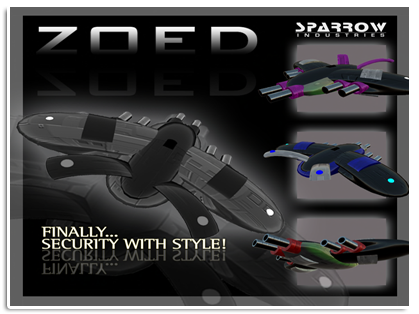
ZoeD Weekend Discount!

50% Discount for - ZoeD Land Protection. Wearing Sparrow Industries customer tag gives you 50% discount more. At Special Offer vendor the price drops for new 25%...Do not miss this opportunity! This special offer ends on Sunday, 24th! (Second Life Midnight). For more informations please visit Sparrow Industries Main Store @ Kimberley! 
Yours, 
Sparrow Industries Team

Friday, February 8, 2013

LandKeeper Weekend Discount!


50% Discount for - LandKeeper Protection. Members of Sparrow Industries group get 50% Discount wearing group tag. If you use Special Offer vendor the price drops for new 25%...Do not miss this opportunity!
This special offer ends on Sunday, 10th!! (Second Life Midnight). For more informations please visit Sparrow Industries Main Store @ Kimberley!
Yours,
Sparrow Industries Team

Friday, February 1, 2013

ArcHunter Special Offer

Clik HERE for more informations about this product!

Big Weekend Discount for - ArcHunter Land Protection. Members of Sparrow Industries group get 50% Discount wearing group tag. If you use Special Offer vendor the price drops for new 25%...Do not miss this opportunity!
This special offer ends on Sunday, 3rd!! (Second Life Midnight). For more informations please visit Sparrow Industries Main Store @ Kimberley!
Yours,
Sparrow Industries Team

Saturday, November 10, 2012

ArcNet Managers Terminal

If you want to allow your partner, manager or friend to be able control your ArcNet Orb or ArcNet Cerberus from the web site you need to bring them to the Sparrow main Store @ Kimberley to buy Managers Licence and access to your user pages. Managers Licence costs 300L$ and is limited to the name of avatar that purchased it. Once when they have it, they will be able to control everything like the real owner as long as the owner have them in their managers list.

Sunday, November 4, 2012

Update for Sparrow RoboBuddies Client!

Download here!


Dear Robobuddies Users, new version of Sparrow RoboBuddies Client is ready and published with adjustments for new changes inside the Second Life. You need to uninstall old version and download and install new version from: http://apps.sparrowindustries.net


Saturday, November 3, 2012

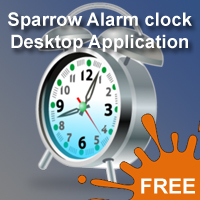
Sparrow Alarm Clock!

You got tired to wake up in the morning with annoying sounds from regular alarm clocks? Your cellphone’s alarm is great but you can’t hear it? You wishing to use the power of your computer speakers but you don’t want to let PC running overnight just to wake you up in the morning? Well, here is a fast solution for you. Sparrow alarm clock can be installed on your system for free. 

Using Sparrow alarm clock is very easy. All you have to do is download the software and install it on your windows based computer. Each time you run the application will automatically check and download the latest version from our servers.

Running my application for first time

when you run this application for first time, you will need to setup your music folder. You can do that from Options->Music folder. Be sure your folder contains music files with .MP3 extension. Once you have assign music folder into system, you are ready to use the application.

Setting alarm

you can set your alarm using 24hour time (military time) on the lower left fields. When you are sure the time is correct you click the set button. You will notice your alarm time will be display with yellow letters on the screen and on its left the remaining time. Your alarm is set and ready. Depending on your system capabilities this system can use your computers APC (Advanced Power Control) to wake up your computer while is in sleep mode at specific time.

Putting my computer to sleep mode

before you put your computer to sleep mode, you have to be sure that the indicator APC is visible and green at the lower left of your application. That indicator should be visible when you click Set, and disappearing when you unset your alarm. Green and visible indicates that sparrow alarm clock have successfully setup your APC and your computer will wake up 1 minute before the alarm time set.

How I put my computer to sleep?

Depending on your system capabilities, your system can go to S1 or S3 standby mode. In case you can’t find the sleep or standby button, you can select Power->sleep and your system will enters in sleep mode.

What do I need to run this application?

This application is written under .NET framework. So you will need a windows based system with .NET 3.5 SP1 installed. The necessary components will automatically install with application.
Click here to download this application for free.