Showing posts with label Gadget. Show all posts

Wednesday, June 22, 2016

New Location of InWorldz Store!

Dear Customers,

due to the closure of Tiger Island region where we have been located last few years we've moved our InWorldz Shop to new region. You can find your rental boxes at https://inworldz/region/Sunrise%20Oasis/233/245/22

 Yours,
 Sparrow Industries Team

Friday, November 1, 2013

50% Discount for - Soniada Security

Click HERE to see more
Click HERE


50% Discount for - Soniada Security. Sparrow Industries customer tag brings 50% discount more. At Special Offer vendor the price drops for new 25%...Do not miss this opportunity! This special offer ends on Sunday, 3rd! (Second Life Midnight). For more informations please visit Sparrow Industries Main Store @ Kimberley!

Saturday, October 26, 2013

Sparrow Bee Land Security Discount!

Click HER for more informations


50% Discount for - Sparrow Bee Land Security. Sparrow Industries customer tag brings 50% discount more. At Special Offer vendor the price drops for new 25%...Do not miss this opportunity! This special offer ends on Sunday, 27th! (Second Life Midnight). For more informations please visit Sparrow Industries Main Store @ Kimberley!

Friday, July 12, 2013

External HUD Special Weekend Discount!

Click Here for more informations about this product!

50% Discount for - Sparrow External HUD ( Works only with Arcadian Security Bots). Sparrow Industries customer tag brings 50% discount more. Do not miss this opportunity! This special offer ends on Sunday, 14th! (Second Life Midnight). For more informations please visit Sparrow Industries Main Store @ Kimberley!

Friday, March 8, 2013

Daemon Special Weekend!

Click HERE for more details about this product!


50% Discount for - Daemon Land Security. Sparrow Industries customer tag brings 50% discount more. At Special Offer vendor the price drops for new 25%...Do not miss this opportunity! This special offer ends on Sunday, 10th! (Second Life Midnight) For more informations please visit Sparrow Industries Main Store @ Kimberley!
Yours,
Sparrow Industries Team

Friday, February 22, 2013

ZoeD Weekend Discount!

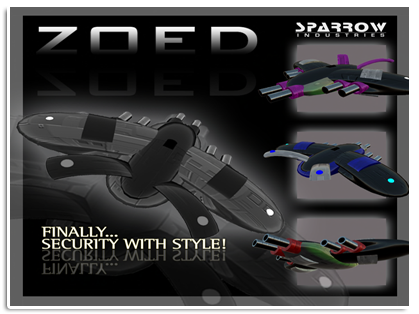
50% Discount for - ZoeD Land Protection. Wearing Sparrow Industries customer tag gives you 50% discount more. At Special Offer vendor the price drops for new 25%...Do not miss this opportunity! This special offer ends on Sunday, 24th! (Second Life Midnight). For more informations please visit Sparrow Industries Main Store @ Kimberley! 
Yours, 
Sparrow Industries Team

Friday, February 8, 2013

LandKeeper Weekend Discount!


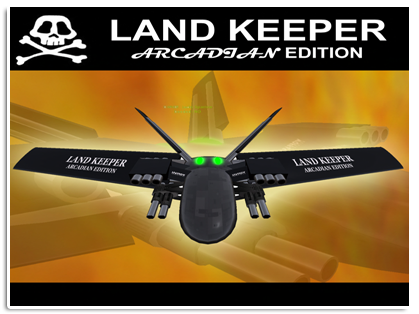
50% Discount for - LandKeeper Protection. Members of Sparrow Industries group get 50% Discount wearing group tag. If you use Special Offer vendor the price drops for new 25%...Do not miss this opportunity!
This special offer ends on Sunday, 10th!! (Second Life Midnight). For more informations please visit Sparrow Industries Main Store @ Kimberley!
Yours,
Sparrow Industries Team

Friday, November 23, 2012

Weekend's 50% Discount!!!

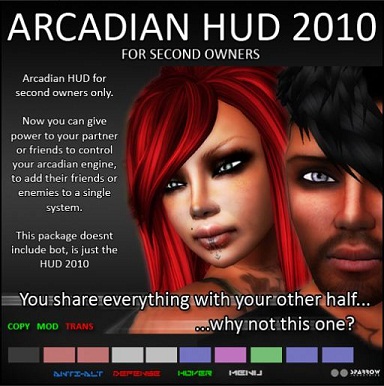
This weekend Arcadian HUD for Second Owners on Weekend Special Offer! 50% Discount! For members of Sparrow Industries group wearing group tag there is additional 50%. If you use Special Offer vendor the price drops for new 25%... Regular price for this HUD is 600 L$. This weekend it is 300 L$ for everyone. For group members it is 150 L$. IF you have time to wait at Special Offer vendor it is even 25% less... Do not miss this opportunity!
WARNING: Second-owner HUD means that you are not the owner of the bot and you will have limited abilities. 
This special offer ends on Sunday, 25th!! (Second Life Midnight).
Yours,
Sparrow Industries Team
For more information visit Sparrow Industries Main Store @ Kimberley!

Saturday, November 10, 2012

ArcNet Managers Terminal

If you want to allow your partner, manager or friend to be able control your ArcNet Orb or ArcNet Cerberus from the web site you need to bring them to the Sparrow main Store @ Kimberley to buy Managers Licence and access to your user pages. Managers Licence costs 300L$ and is limited to the name of avatar that purchased it. Once when they have it, they will be able to control everything like the real owner as long as the owner have them in their managers list.

Friday, November 9, 2012

Arcadian Pack with 50% Discount for Weekend

Weekend Special Offer - 50 % Discount


This weekend Arcadian Pack on Weekend Special Offer! 50% Discount! For members of Sparrow Industries group wearing group tag there is additional 50%. If you use Special Offer vendor the price drops for new 25%...Do not miss this opportunity! Offer Includes:
▶Arcadian - Arcadian Defensive System
▶ HunterKiller Arcadian - Arcadian Defensive System
▶LandKeeper - Arcadian Defensive System
▶ Zoed - Arcadian Defensive System
▶Martian Force - Arcadian Defensive System
▶Spirit - Arcadian BotWars
▶Daemon - Arcadian BotWars
▶Ares Turret
This special offer ends on Sunday, 11th!! (Second Life Midnight).
Yours,
Sparrow Industries Team
For more information visit Sparrow Industries Main Store @ Kimberley!

Sunday, November 4, 2012

Update for Sparrow RoboBuddies Client!

Download here!


Dear Robobuddies Users, new version of Sparrow RoboBuddies Client is ready and published with adjustments for new changes inside the Second Life. You need to uninstall old version and download and install new version from: http://apps.sparrowindustries.net


Saturday, November 3, 2012

Sparrow Alarm Clock!

You got tired to wake up in the morning with annoying sounds from regular alarm clocks? Your cellphone’s alarm is great but you can’t hear it? You wishing to use the power of your computer speakers but you don’t want to let PC running overnight just to wake you up in the morning? Well, here is a fast solution for you. Sparrow alarm clock can be installed on your system for free. 

Using Sparrow alarm clock is very easy. All you have to do is download the software and install it on your windows based computer. Each time you run the application will automatically check and download the latest version from our servers.

Running my application for first time

when you run this application for first time, you will need to setup your music folder. You can do that from Options->Music folder. Be sure your folder contains music files with .MP3 extension. Once you have assign music folder into system, you are ready to use the application.

Setting alarm

you can set your alarm using 24hour time (military time) on the lower left fields. When you are sure the time is correct you click the set button. You will notice your alarm time will be display with yellow letters on the screen and on its left the remaining time. Your alarm is set and ready. Depending on your system capabilities this system can use your computers APC (Advanced Power Control) to wake up your computer while is in sleep mode at specific time.

Putting my computer to sleep mode

before you put your computer to sleep mode, you have to be sure that the indicator APC is visible and green at the lower left of your application. That indicator should be visible when you click Set, and disappearing when you unset your alarm. Green and visible indicates that sparrow alarm clock have successfully setup your APC and your computer will wake up 1 minute before the alarm time set.

How I put my computer to sleep?

Depending on your system capabilities, your system can go to S1 or S3 standby mode. In case you can’t find the sleep or standby button, you can select Power->sleep and your system will enters in sleep mode.

What do I need to run this application?

This application is written under .NET framework. So you will need a windows based system with .NET 3.5 SP1 installed. The necessary components will automatically install with application.
Click here to download this application for free.

Friday, November 2, 2012

Uzi MAG10 (BNWCS - DCS 2.0)

Sparrow Industries - Impact Weapons Tech
http://www.sparrowindustries.net
INTRO
Sparrow Industries SPI engine designed to work perfect with the most combat engines are available in the second life. With advanced scripting techniques and very nice and sculpted models, we succeed to release those series of weapons with low price and high quality. Those weapons are not designed for grieffing or disturbing the world of second life, but to give accurate shots and abilities to mod the settings for maximum performance during your RP war game.
FEATURES
• High Precise Targeting
• HD Bullets Phys
• High damage for BNWCS and DSC2.0 combat systems
• Adjustable Rate of fire. (1-10 bullets per second)
• Adjustable bullet speed (100 – 250 meters per second)
• 3 Modes(Single, Burst, Auto )
• Advanced Cross shooting system for higher rate of shooting
• Recolor parts*
• Gestures for fast draw and holster modes
• 200 Bullets Magazines
• Silencer
MODES
SINGLE
While your weapon is in single mode, it will fire only 1 bullet per click. The bullet will not use the cross fire technique and will fire up from the middle for the best accurate targeting. Best usages for long distance sharp shoots.
BURST
When you set Burst mode, the weapon will fire up 3 bullets per 1 click. Non cross technique. This mode is perfect for better controlling the magazine’s remaining bullets.
AUTO
In this mode, the bullets are unleashed. Automatic mode will keep firing up bullets as long you hold the mouse button pressed. Cross firing also enabled for fastest bullet rezzing.
RATE OF FIRE EXPLAINED
Rate of fire means how many bullets per one second will released from the weapon. 1 b/s means that will fire 1 bullet every 1 second. That means as higher the ROF is more bullets will shot per second. The most of the RP sims allow weapons up to 8 or 10 b/s. Higher rates will cause extremely lag during shooting.
VELOCITY OR BULLET SPEED EXPLAINED
Higher speed means faster bullets. Depends of the usage of your weapon you have to test and adjust those settings for the maximum performance of your weapon. The measurement of these settings counts on M/s (Meters per second). If you going to use the weapon for close targets, you should keep this setting low (100-125 m/s), but if you want to use it on long distance shoots you should use faster bullets (200-250 m/s).
CROSS FIRE EXPLAINED
Weapons using physical prims known as bullets fired to the target with high speed. Because of the continuously and rapid rezing of the bullets causing collision between the bullets when they are rezed in straight line. Cross Firing means that the bullets will not been fired in straight line but with an offset to left and right on each bullet. That prevents the colliders to impact when your weapon used in automatic mode. This mode will relax the sim’s colliders and the LAG will gone.

Link Gun (BNWCS, DCS 2.0)

Sparrow Industries - Impact Weapons Tech
http://www.sparrowindustries.net
INTRO
Sparrow Industries SPI engine designed to work perfect with the most combat engines are available in the second life. With advanced scripting techniques and very nice and sculpted models, we succeed to release those series of weapons with low price and high quality. Those weapons are not designed for grieffing or disturbing the world of second life, but to give accurate shots and abilities to mod the settings for maximum performance during your RP war game.
FEATURES
• High Precise Targeting
• HD Bullets Phys
• High damage for BNWCS and DSC2.0 combat systems
• Adjustable Rate of fire. (1-10 bullets per second)
• Adjustable bullet speed (100 – 250 meters per second)
• 3 Modes(Single, Burst, Auto )
• Advanced Cross shooting system for higher rate of shooting
• Recolor parts*
• Gestures for fast draw and holster modes
• 200 Bullets Magazines
• Silencer
MODES
SINGLE
While your weapon is in single mode, it will fire only 1 bullet per click. The bullet will not use the cross fire technique and will fire up from the middle for the best accurate targeting. Best usages for long distance sharp shoots.
BURST
When you set Burst mode, the weapon will fire up 3 bullets per 1 click. Non cross technique. This mode is perfect for better controlling the magazine’s remaining bullets.
AUTO
In this mode, the bullets are unleashed. Automatic mode will keep firing up bullets as long you hold the mouse button pressed. Cross firing also enabled for fastest bullet rezzing.
RATE OF FIRE EXPLAINED
Rate of fire means how many bullets per one second will released from the weapon. 1 b/s means that will fire 1 bullet every 1 second. That means as higher the ROF is more bullets will shot per second. The most of the RP sims allow weapons up to 8 or 10 b/s. Higher rates will cause extremely lag during shooting.
VELOCITY OR BULLET SPEED EXPLAINED
Higher speed means faster bullets. Depends of the usage of your weapon you have to test and adjust those settings for the maximum performance of your weapon. The measurement of these settings counts on M/s (Meters per second). If you going to use the weapon for close targets, you should keep this setting low (100-125 m/s), but if you want to use it on long distance shoots you should use faster bullets (200-250 m/s).
CROSS FIRE EXPLAINED
Weapons using physical prims known as bullets fired to the target with high speed. Because of the continuously and rapid rezing of the bullets causing collision between the bullets when they are rezed in straight line. Cross Firing means that the bullets will not been fired in straight line but with an offset to left and right on each bullet. That prevents the colliders to impact when your weapon used in automatic mode. This mode will relax the sim’s colliders and the LAG will gone.

Assault M4A1 (BNWCS, DCS 2.0)

Sparrow Industries - Impact Weapons Tech
http://www.sparrowindustries.net
INTRO
Sparrow Industries SPI engine designed to work perfect with the most combat engines are available in the second life. With advanced scripting techniques and very nice and sculpted models, we succeed to release those series of weapons with low price and high quality. Those weapons are not designed for grieffing or disturbing the world of second life, but to give accurate shots and abilities to mod the settings for maximum performance during your RP war game.
FEATURES
• High Precise Targeting
• HD Bullets Phys
• High damage for BNWCS and DSC2.0 combat systems
• Adjustable Rate of fire. (1-10 bullets per second)
• Adjustable bullet speed (100 – 250 meters per second)
• 3 Modes(Single, Burst, Auto )
• Advanced Cross shooting system for higher rate of shooting
• Recolor parts*
• Gestures for fast draw and holster modes
• 200 Bullets Magazines
• Silencer
MODES
SINGLE
While your weapon is in single mode, it will fire only 1 bullet per click. The bullet will not use the cross fire technique and will fire up from the middle for the best accurate targeting. Best usages for long distance sharp shoots.
BURST
When you set Burst mode, the weapon will fire up 3 bullets per 1 click. Non cross technique. This mode is perfect for better controlling the magazine’s remaining bullets.
AUTO
In this mode, the bullets are unleashed. Automatic mode will keep firing up bullets as long you hold the mouse button pressed. Cross firing also enabled for fastest bullet rezzing.
RATE OF FIRE EXPLAINED
Rate of fire means how many bullets per one second will released from the weapon. 1 b/s means that will fire 1 bullet every 1 second. That means as higher the ROF is more bullets will shot per second. The most of the RP sims allow weapons up to 8 or 10 b/s. Higher rates will cause extremely lag during shooting.
VELOCITY OR BULLET SPEED EXPLAINED
Higher speed means faster bullets. Depends of the usage of your weapon you have to test and adjust those settings for the maximum performance of your weapon. The measurement of these settings counts on M/s (Meters per second). If you going to use the weapon for close targets, you should keep this setting low (100-125 m/s), but if you want to use it on long distance shoots you should use faster bullets (200-250 m/s).
CROSS FIRE EXPLAINED
Weapons using physical prims known as bullets fired to the target with high speed. Because of the continuously and rapid rezing of the bullets causing collision between the bullets when they are rezed in straight line. Cross Firing means that the bullets will not been fired in straight line but with an offset to left and right on each bullet. That prevents the colliders to impact when your weapon used in automatic mode. This mode will relax the sim’s colliders and the LAG will gone.

Online Status

********************************
Visit our website at
http://www.sparrowindustries.net
********************************
ONLINE STATUS
By Sparrow Industries
9 Prims
MOD,TRANS,NO-COPY
---------------------------------------------------
Simple online status with photo and pictue frame. The pull down menu allows you to have basic choices like ON,OFF and RESET.
Simple but cute gadget to let everyone at your club or shop to see if you are online.
Best regards
Jacks Sparrow